Studionity Events · FaceGate
An event check-in app that recognises guests by face
A queue at the badge desk, a phone hunted for at the gate, a name shouted twice — that is what a door costs you today.
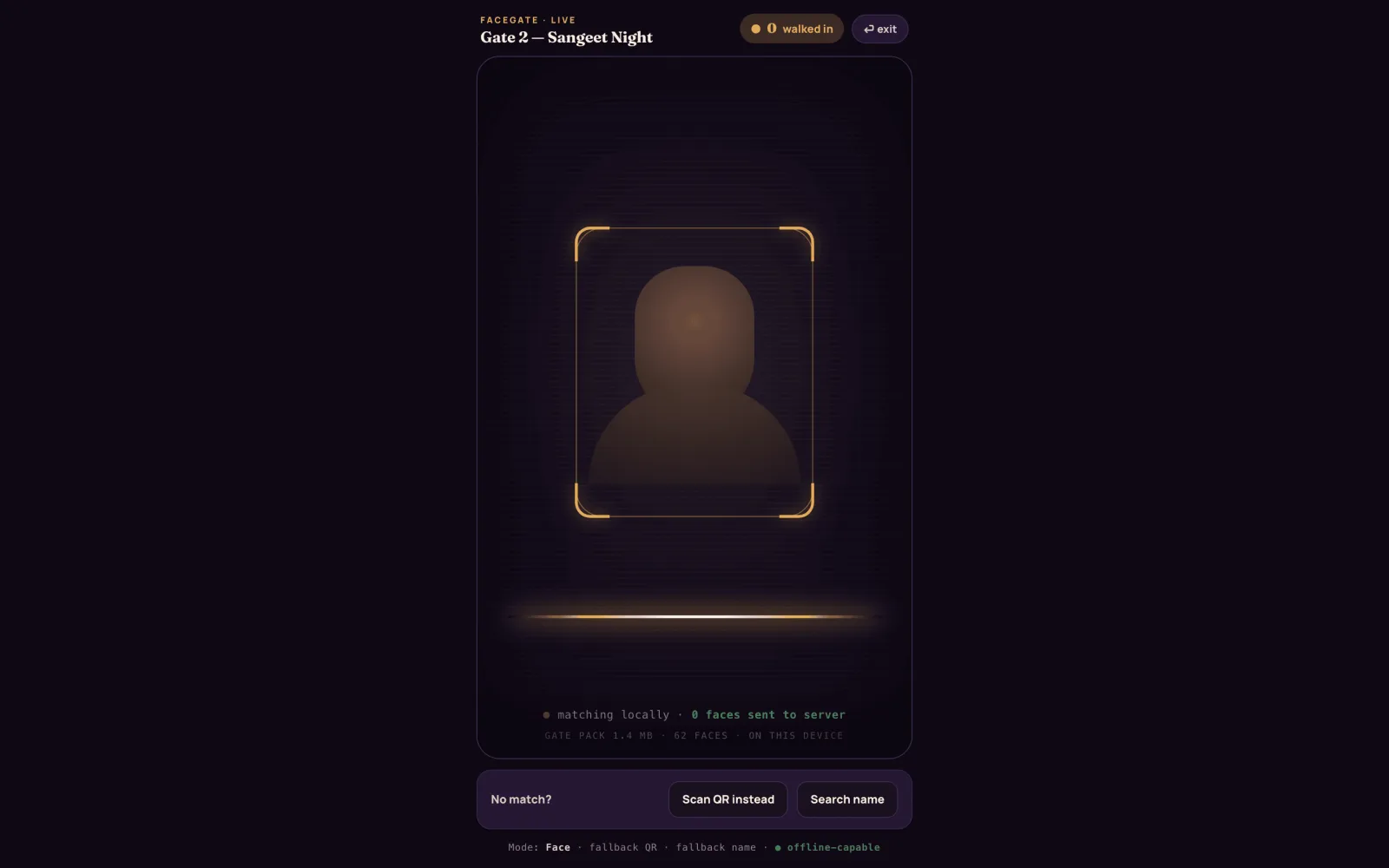
A guest walks up, looks at the crew's tablet, and they are in, in about two seconds. A QR pass and a name search sit one tap behind it, so the line never stops moving, and the gate keeps working when the venue network doesn't. Check-in is one part of the full event console.
Invite-only pilot · Made in India 🇮🇳
FaceGate
FaceGate, the feature
The named part of Studionity Events that clears the door. One tablet, one crew member, and a line that keeps moving instead of stacking up behind a laptop and a spreadsheet.
The queue stops forming
About two seconds a guest, hands free, nothing to find in a bag. One station clears a crowd that used to need three.
Bad venue Wi-Fi is fine
The gate pack runs on the tablet itself, so entry does not depend on a hall network that drops at 7 PM. Check-ins queue and sync.
Greeted by name
Their name, their table or access, and how many photos of them are already waiting — on the same screen that lets them in.
How it works
Two seconds at the door
Three steps, and only the first one asks anything of the guest.
One selfie at join
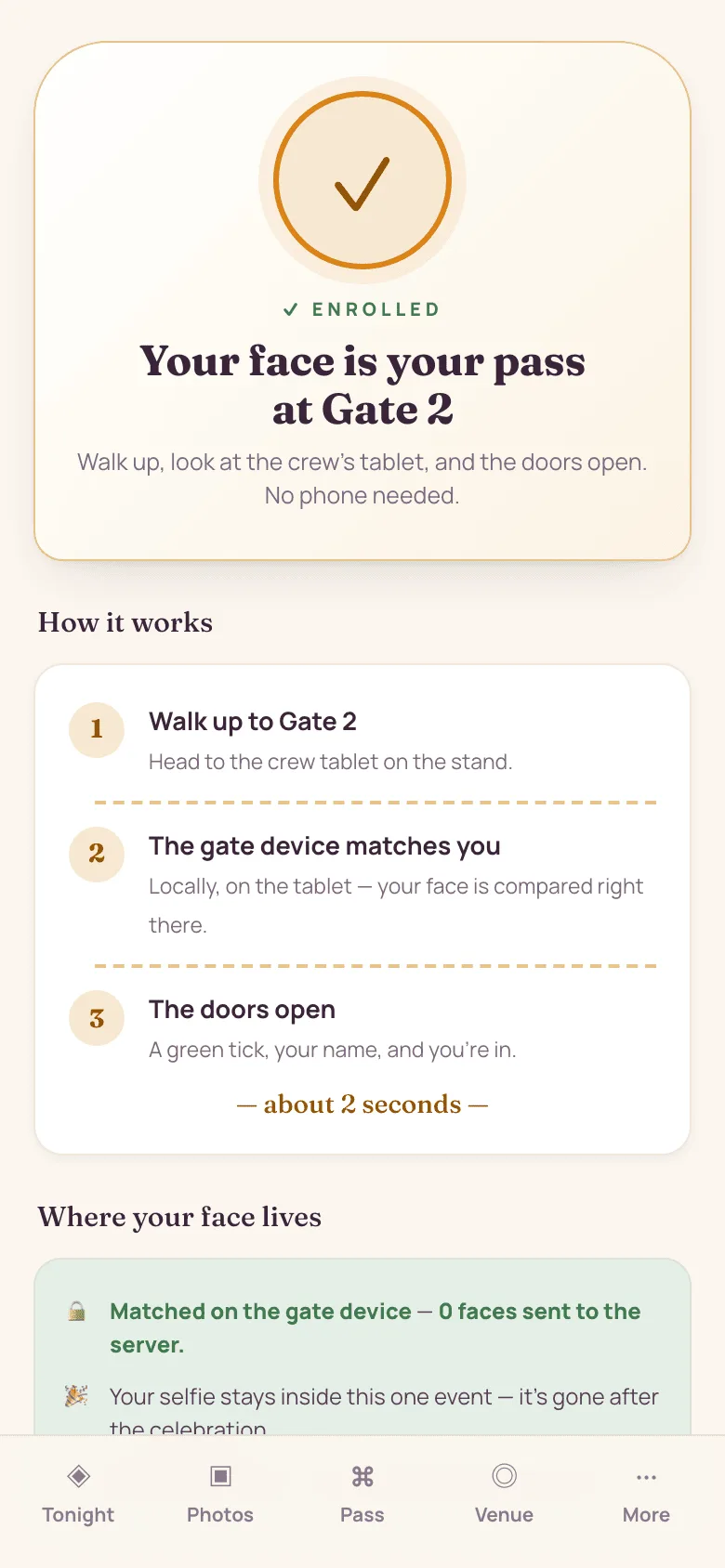
The guest opens your link, verifies a mobile or email, and enrols one selfie behind a clear consent toggle.
The gate loads before doors
A small event-only pack downloads to the crew tablet ahead of time, so the station is ready whether or not the hall network is. It holds this event and nothing else, and is wiped with it.
Walk up, and in
Recognised in about two seconds and counted live, so you can watch the room fill instead of counting heads at midnight.
The ladder
Face, then QR, then name
Every gate has three ways through it, on the same device, in the same app. Nobody gets locked out.
- Face — matched locally, about two seconds
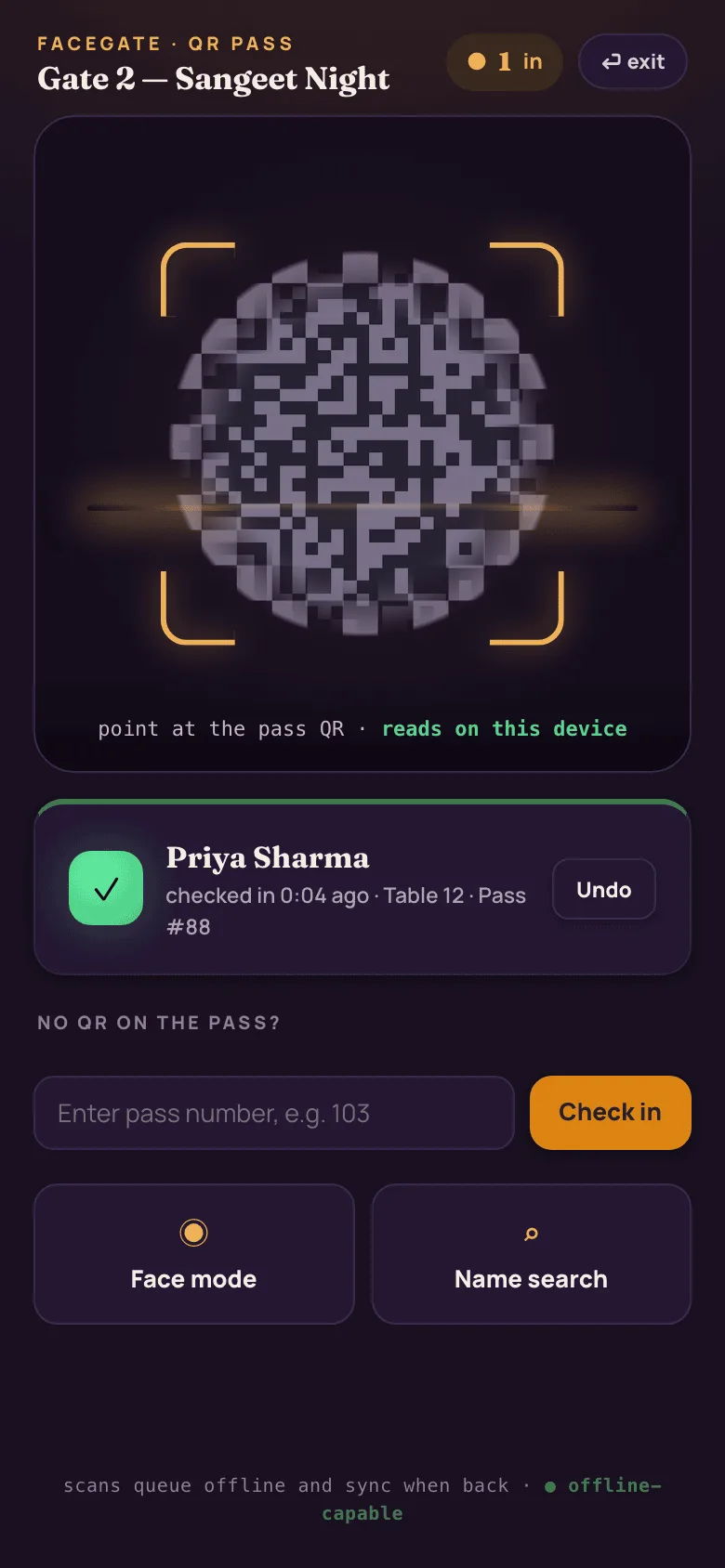
- QR pass — reads on-device, no signal needed
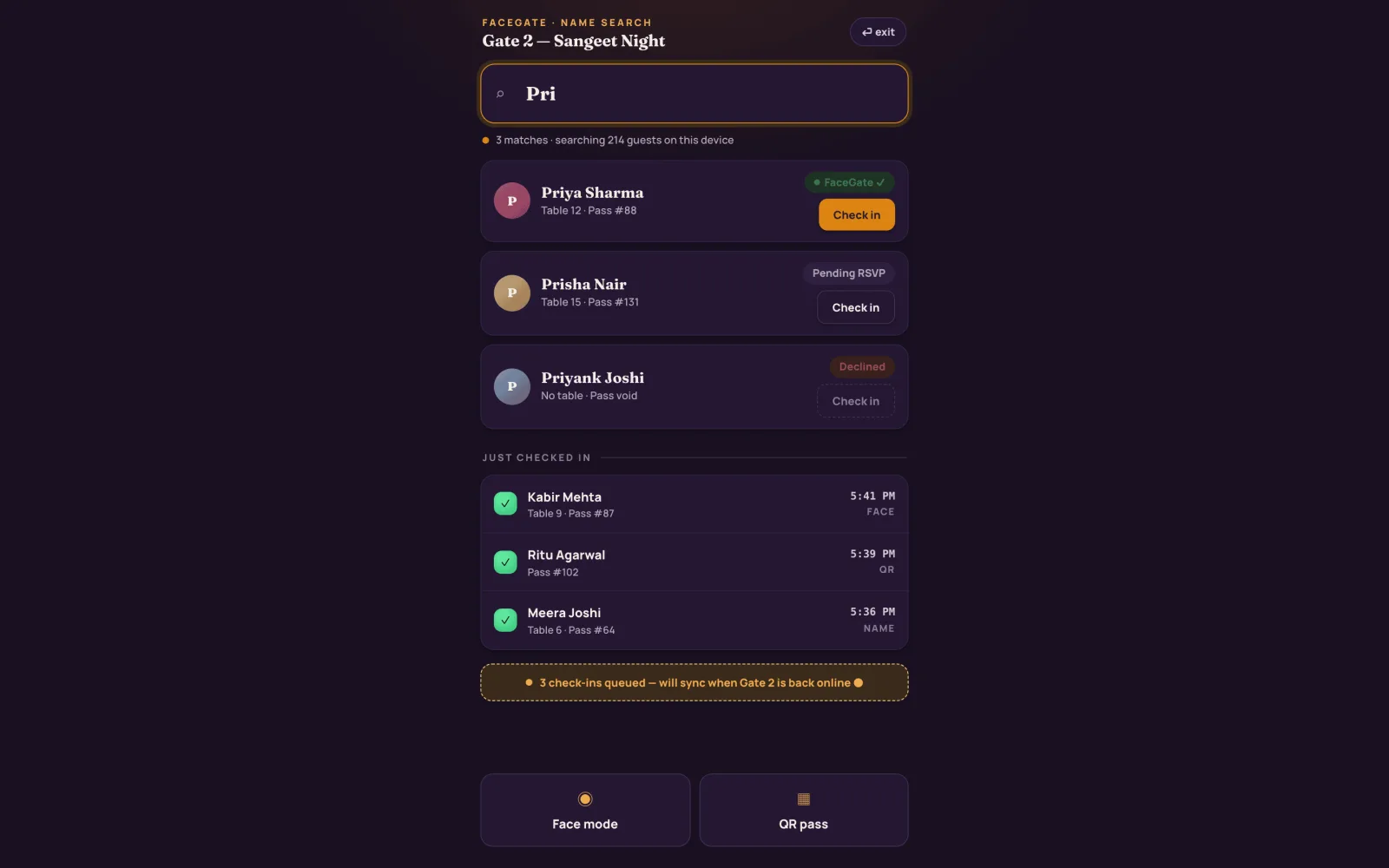
- Name search — the whole guest list, held on the device
- Check-ins queue offline and sync when the gate is back online
Summits, expos and fests
The pass behind the face
Design the badge once. Each copy fills itself from the guest record, and the category decides which zones it opens.
- Category-aware zone access — VIP, family, crew, general
- Delivered on RSVP over WhatsApp, plus Apple and Google Wallet
- The QR reads at the gate whether or not there is signal
At Indian weddings guests never show a pass — a face or a name at the gate is the whole flow.
Passes issued on an RSVP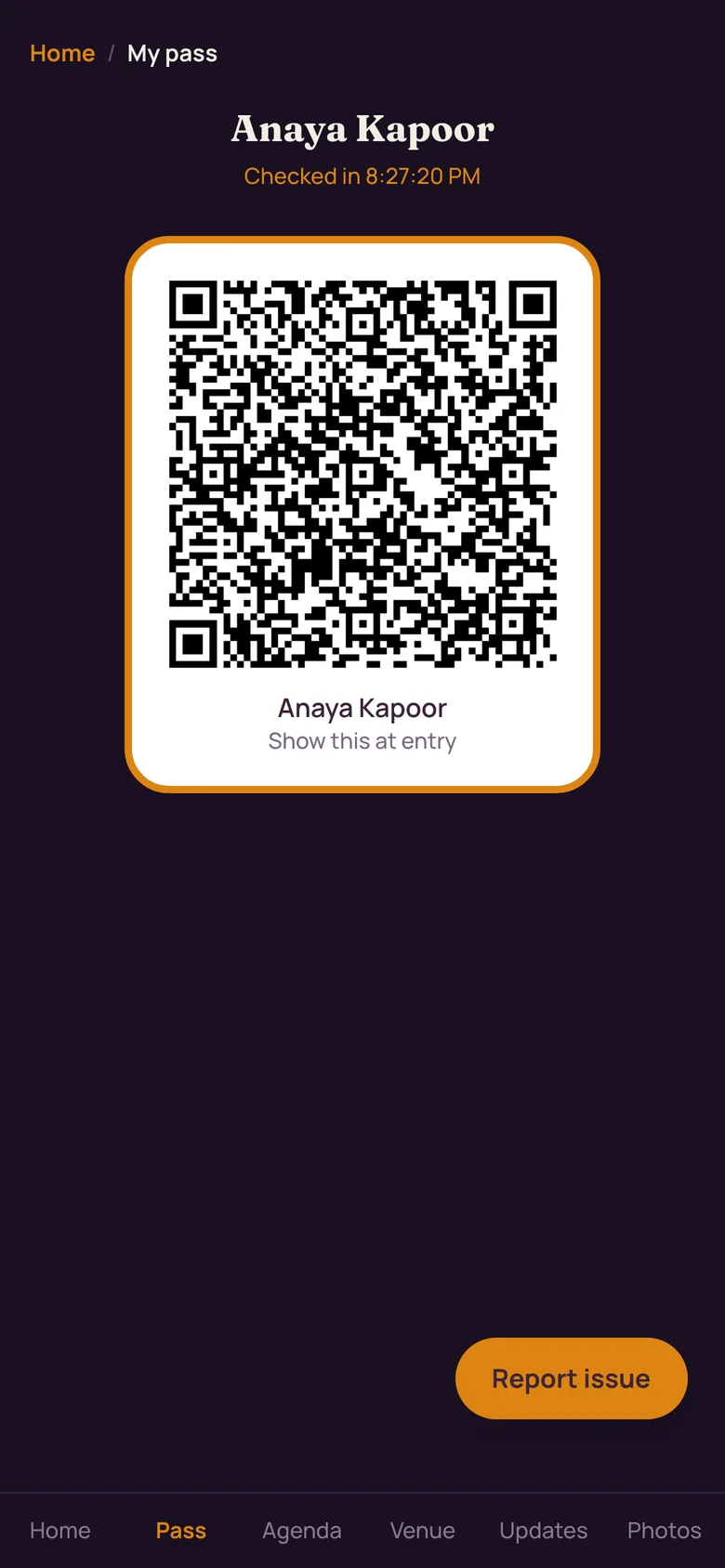
The small print
The guest stays in control
FaceGate is a separate opt-in from the photo selfie, and one tap turns face entry back into a plain QR pass. Face data stays inside that one event, auto- deletes 90 days afterwards — sooner if the host sets a shorter window — and a guest can delete it instantly from their gallery profile. Read our face-data policy, or delete your face data.
FAQ
Gate questions
How fast is face check-in at the door?
A guest walks up, looks at the crew's tablet, and is recognised locally in about two seconds — then greeted by name with their table, their access and how many photos of them are already waiting.
Does face check-in work without internet at the venue?
Yes. An encrypted, event-only face pack sits on the crew device, so matching happens there with no signal needed. Check-ins queue offline and sync the moment the gate is back online.
What happens if a guest's face does not match?
The same station drops straight to a QR pass, which reads on-device without a signal, and then to a name search across the whole guest list. Nobody is ever left standing at the gate.
Can a guest refuse face entry?
Yes. FaceGate is a separate opt-in from the photo selfie, and one tap turns face entry back into a plain QR pass at any time — before the event or halfway through it.
What happens to a guest's face data after the event?
The gate pack is wiped with the event. Face data stays inside that one event and auto-deletes 90 days afterwards, or sooner if the host sets a shorter window. Guests can delete it instantly from their gallery profile.
Running a wedding instead? See face entry at a wedding gate.
Arm the gate on your next event
Tell us the date, the room and how many doors. We'll set the gate up with you and stay on the phone through the night.
Or start from the full event console.
Invite-only pilot · Made in India 🇮🇳