Sangeet Night
Anaya & Rohan
The Leela Palace, Udaipur · Dinner & dandiya, gates 5:30 PM
Studionity Events · Invites
The invite list is the RSVP list is the check-in list is the photo-delivery list. One record per guest, from the first send to the gallery they go home with.
Design the invite, collect the answers you actually need, and issue passes on a yes over WhatsApp — all inside the event console these invites feed.
Invite-only pilot · Made in India 🇮🇳
Invites
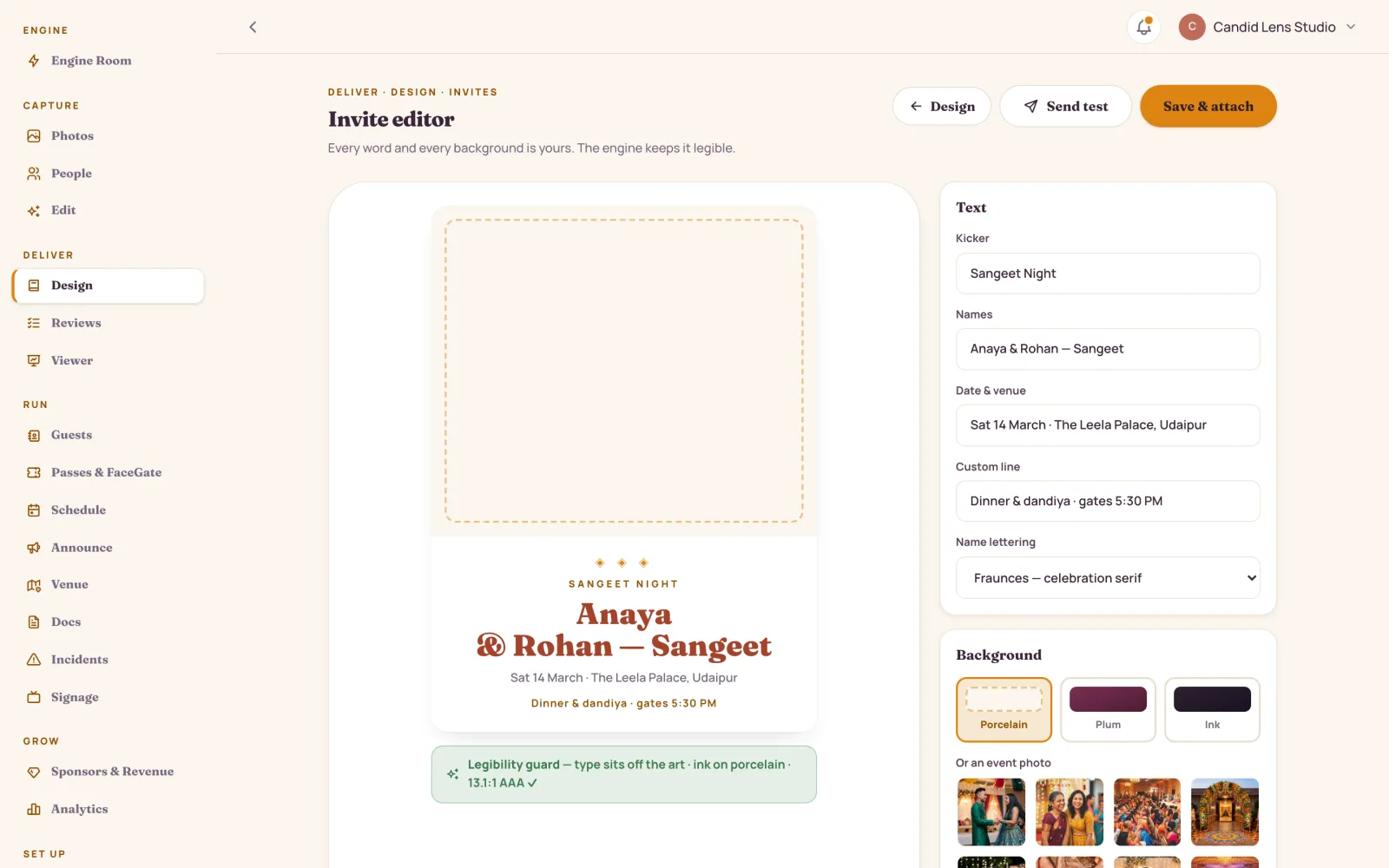
Three moods — Marigold Garland, Modern Plum, Gold Leaf. Type the kicker, the names, the date, the venue and a custom line, and the preview updates as you go.
Sangeet Night
The Leela Palace, Udaipur · Dinner & dandiya, gates 5:30 PM
Turning Sixty
Alibaug · Lunch, and the whole family in one frame
Annual Fest
VIT Vellore · Three days, nine stages
Summit
Bengaluru · Badges at the gate, by face
Product Launch
Jio World Centre, Mumbai · Doors 6 PM
Every change is re-checked for contrast. A busy photo gets a scrim and flipped type, never below 4.5:1 — so an invite never ships hard to read on a phone.
RSVP
Stop chasing four hundred people across six WhatsApp groups. Build the form your event actually needs — choice, number, short answer, yes/no or date — and watch the answers land on the list.
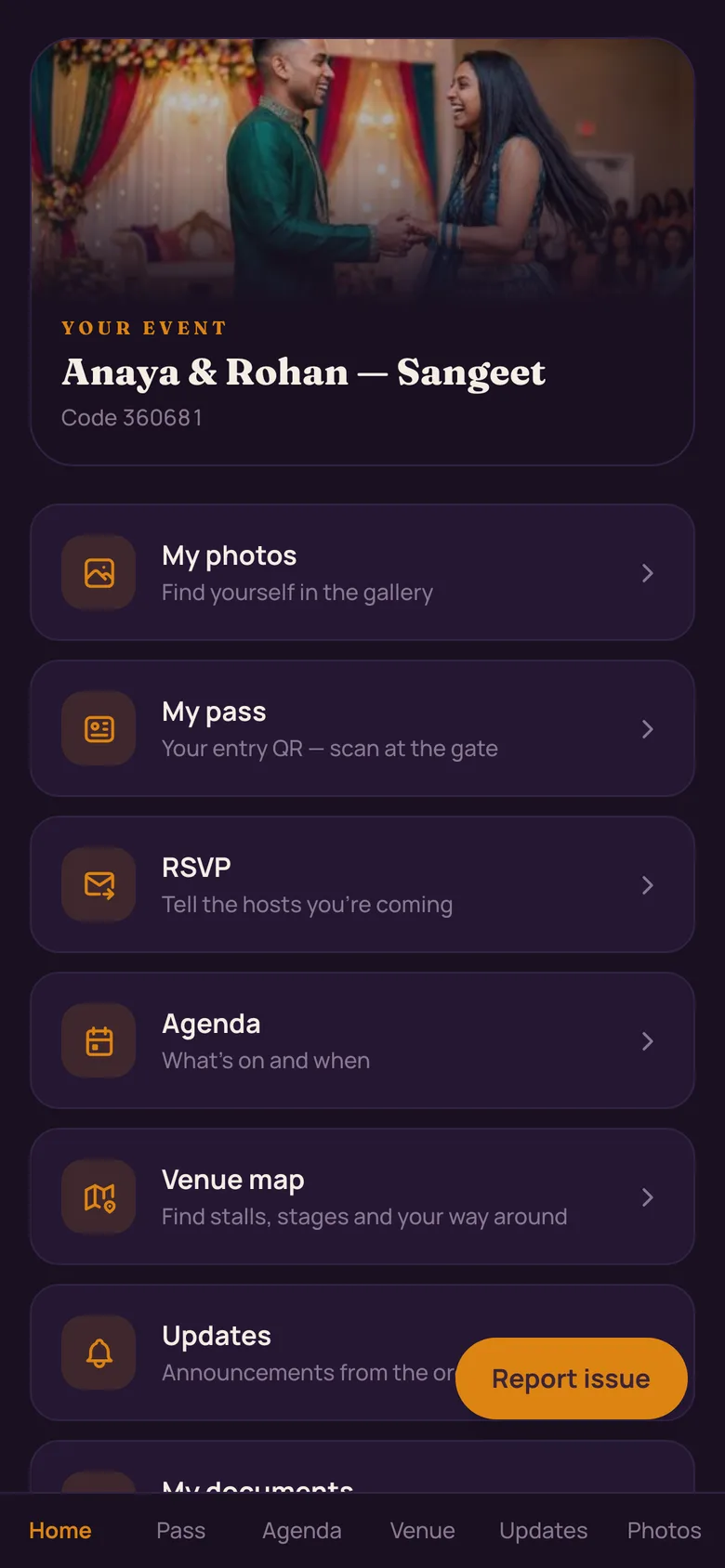
The guest list
Invite, RSVP, pass, table, dietary note and the photos they go home with — all on one row, so nobody keeps a second spreadsheet.
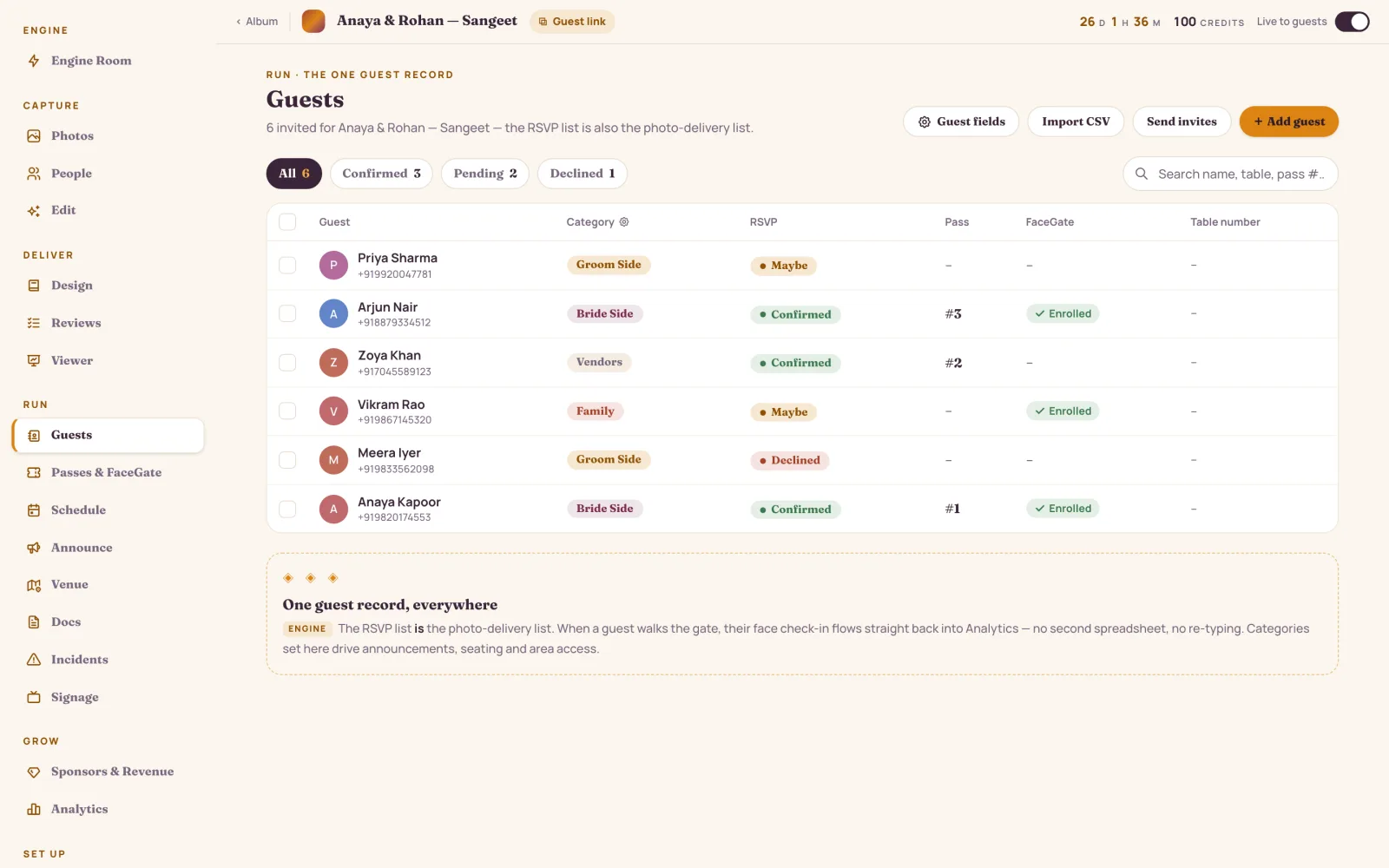
Add the custom fields your event actually tracks, then import any CSV straight onto them.
View own photos, view all, or anonymous browse — assigned in one sweep, changed any time.
A mobile or email is verified before anyone counts on the list, and the same list delivers the photos.
Summits, expos and fests
Per guest or in bulk. Weddings get the invite and face at the gate instead — passes are for summits, expos and fests.
Name, category, table and pass number come straight off the guest row. Design the template once and never retype a detail.
Sent over WhatsApp, and saved to Apple Wallet or Google Wallet in a tap. Nothing to install either way.
The pass is the fallback, not the plan — check guests in by face and the QR waits behind it.
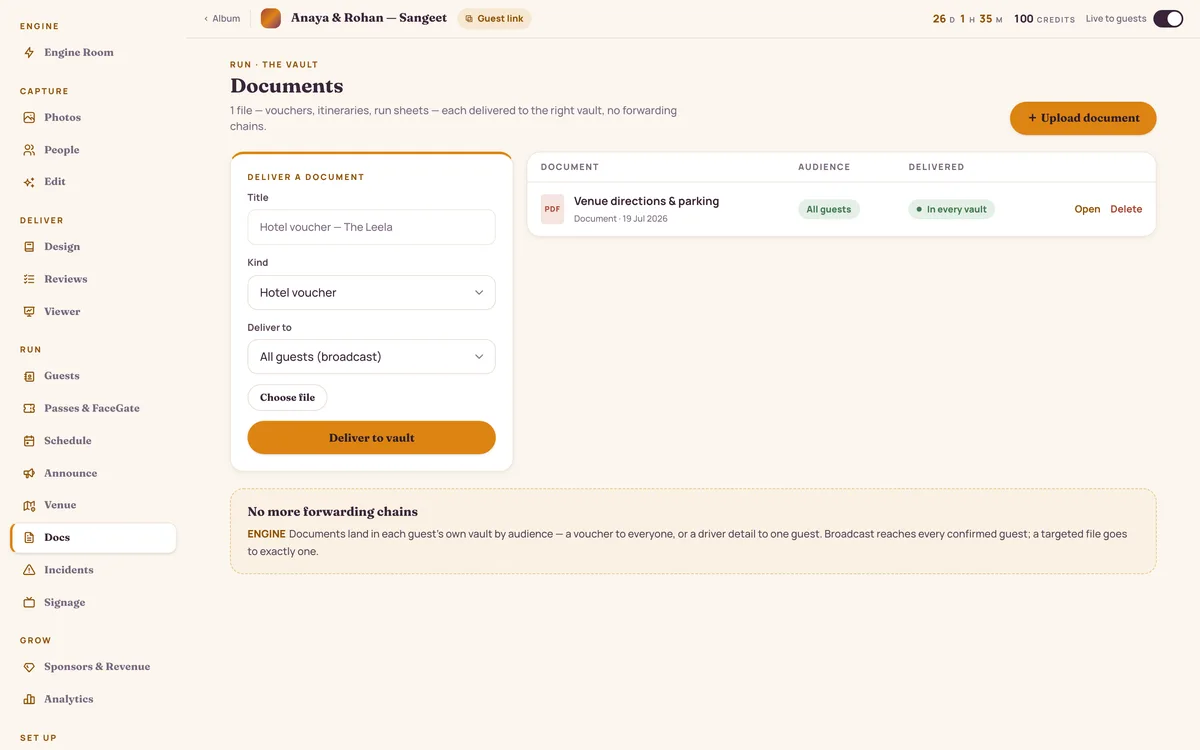
Documents
Joining instructions, an agenda PDF, a speaker pack, the venue map, receipts — routed by audience into each person's private vault.
FAQ
Yes. Import any CSV, add the custom fields your event actually tracks, then bulk-assign roles and issue passes in one sweep. Contacts are verified before anyone is counted on the list.
Over WhatsApp, as a link to your own guest page with the RSVP built in. There is nothing to install — a guest opens the link, answers your form, and their record updates immediately.
It re-reads the contrast on every change you make. If a background photo is busy, it drops a scrim and flips the type, so the invite never ships below 4.5:1 and never lands hard to read on a phone.
Yes — it is the same list. One record per guest carries the invite, the RSVP, the table, entry, and the photos they go home with, so you never keep a second spreadsheet for the gallery.
Tell us about the event and we'll build the invite and the RSVP form with you, then hand you the console.
Invite-only pilot · Made in India 🇮🇳