flash
Use case · Launches

A launch that looks as sharp as the product.

Product drops, brand reveals, store openings, pop-ups and press nights all run on the same rig: brand screens wall to wall, press and guests swapping details in a tap, partners placed where the room actually looks, a live reel on the big screen, and every announcement fired on cue — from one console.

The room, on brand

Every screen carries the launch.

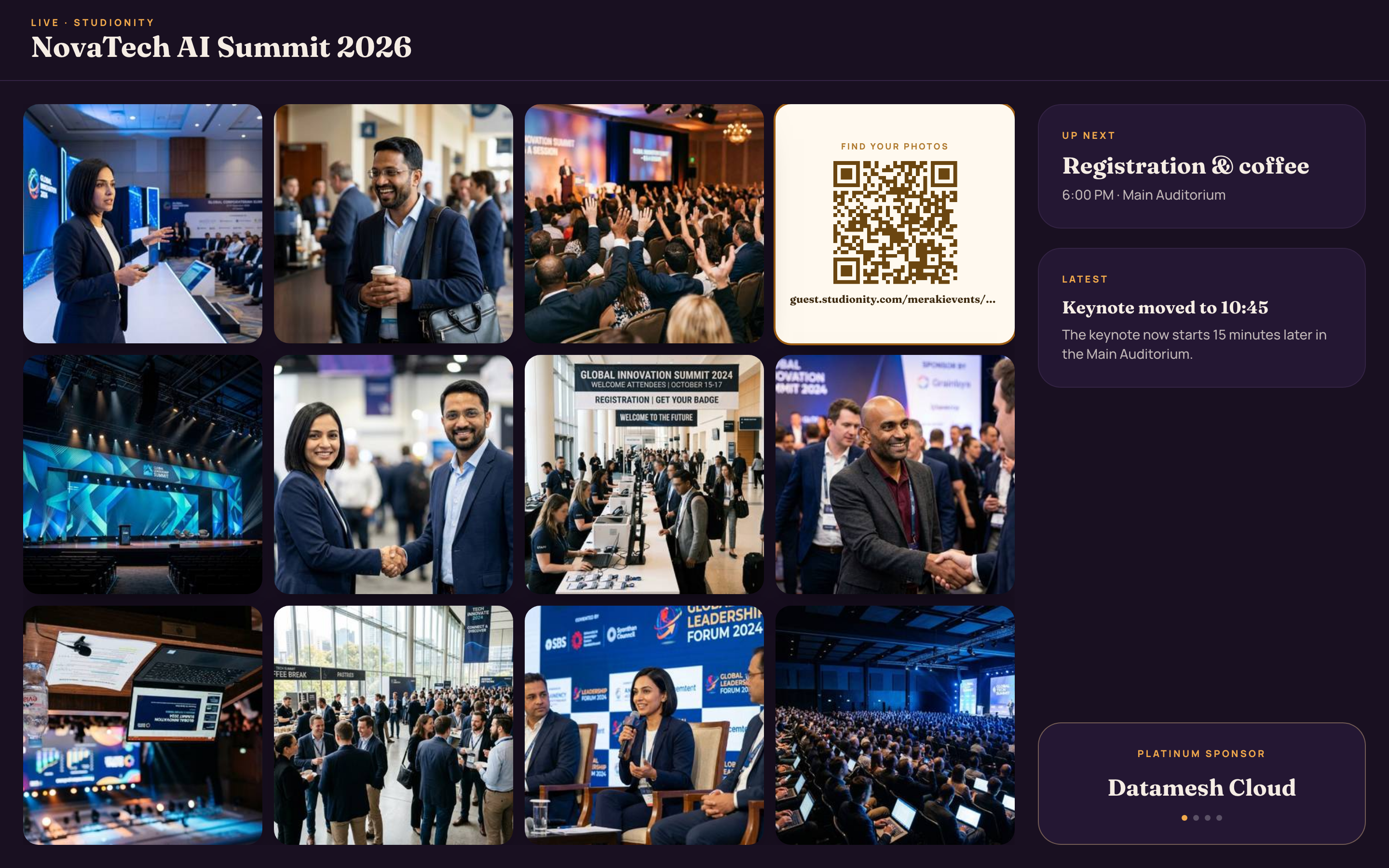
The venue screen runs itself. Photos land and fill a live wall, the freshest ones flagged, with the clock and a LIVE marker up top — no laptop babysitting a slideshow behind the stage.

  • A live photo wall that fills as shots come in
  • NEW badges on the freshest frames
  • A running clock and a LIVE marker
  • Sponsor and partner frames woven into the same loop
app.studionity.com
Live venue screen signage at NovaTech AI Summit: a photo wall of keynote, expo-floor and networking shots, a find-your-photos QR card, the run-of-show up next and a Platinum sponsor credit
The venue screen — photos, brand and partners, live.

On the floor

Press and guests swap details in a tap.

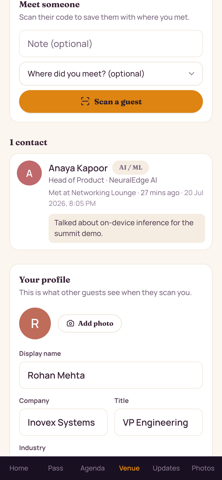
Everyone at the launch carries a personal card. One scan saves a contact — no paper, no fumbling for a business card — and by default a new connection sees only a name until they choose to share more.

  • A personal QR card anyone can scan to save you
  • Share just your name by default; more only if you allow it
  • A "met tonight" log with where and when you connected
  • Name, company, title and industry — seeded from the guest list
Guest Connect screen at a summit: a scan-a-guest prompt, a saved contact card for another attendee with their company, title and where you met, and your own networking profile below
Connect — swap contacts with who you meet.

Partners & revenue

Put your partners where guests actually look.

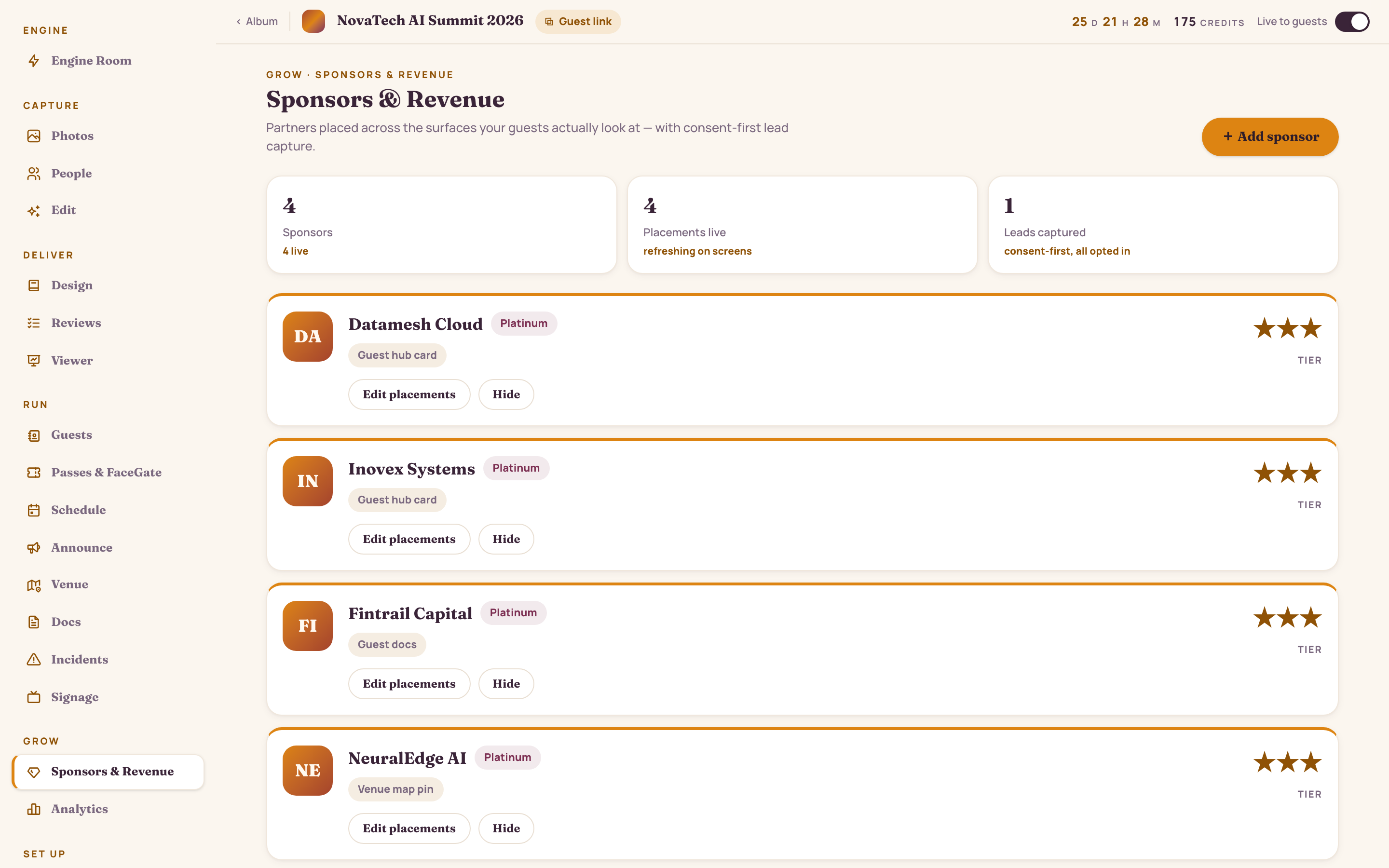
The partners funding the night get placed across the surfaces the room already watches — the guest hub, the welcome screen, the signage loop, the booth QR. Views, consent-first leads and estimated value roll up in one view.

  • Placements across the guest hub, welcome screen, signage and booth QR
  • Views counted per placement
  • Leads captured consent-first — every one opted in
  • Estimated partner value tallied for the event
  • Preview the microsite, edit placements, email the report
app.studionity.com
Sponsors and Revenue console for a tech summit: Platinum sponsors like Datamesh Cloud and Inovex Systems with their placements, live placement counts and consent-first leads captured
Sponsors & Revenue — placements, views, leads and value.
On the big screen

The reel plays itself.

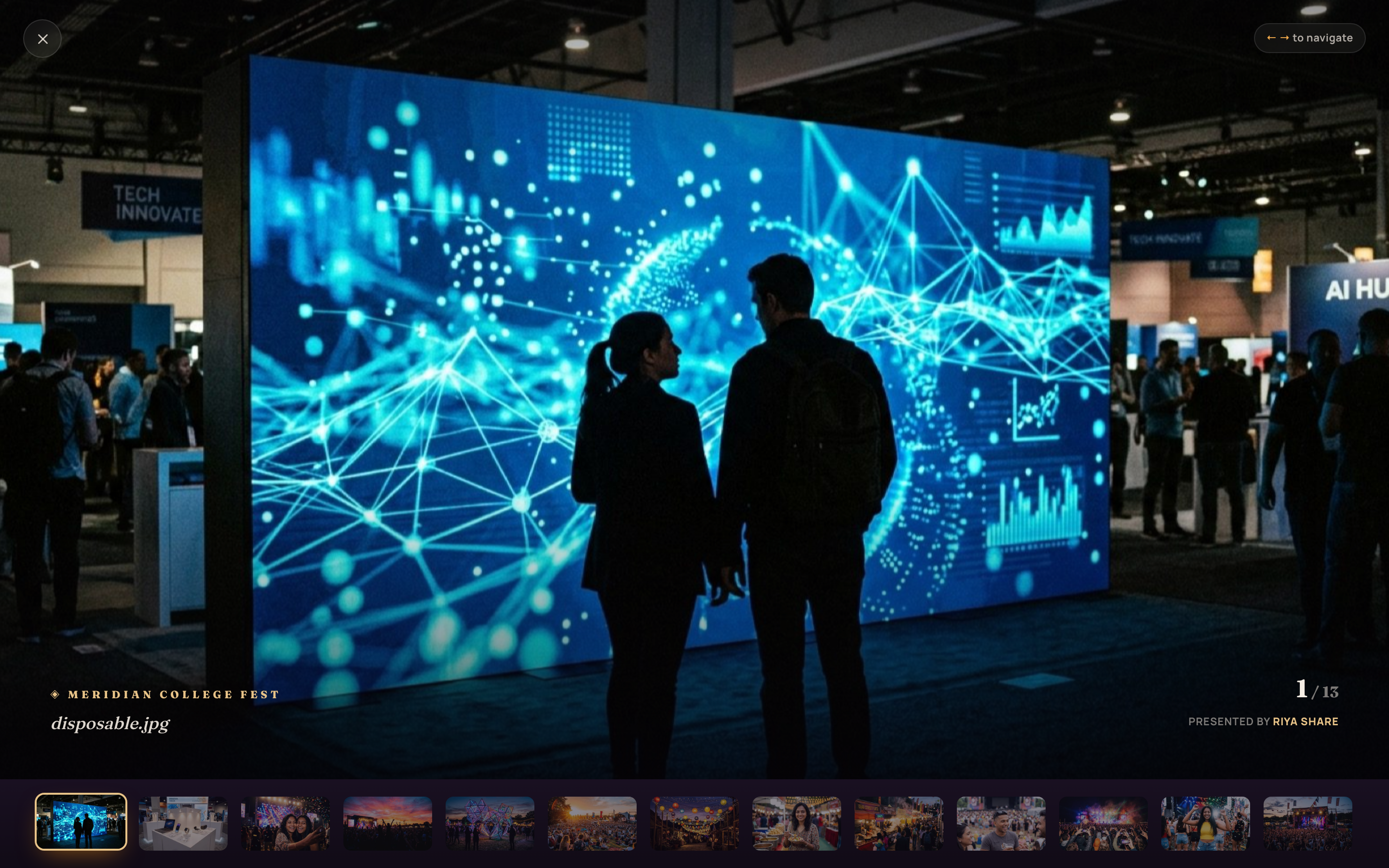
Point a projector at the viewer and the night runs cinematic — full-frame photos drifting one into the next, each captioned with the moment, credited to the studio behind the camera.

app.studionity.com
Projector viewer at a fest: a full-frame expo-floor photo with the event name, a photo index, a presenter credit and a filmstrip of the reel below
The projector viewer — a live, cinematic reel of the launch.
Talk to the room

The next moment, announced on cue.

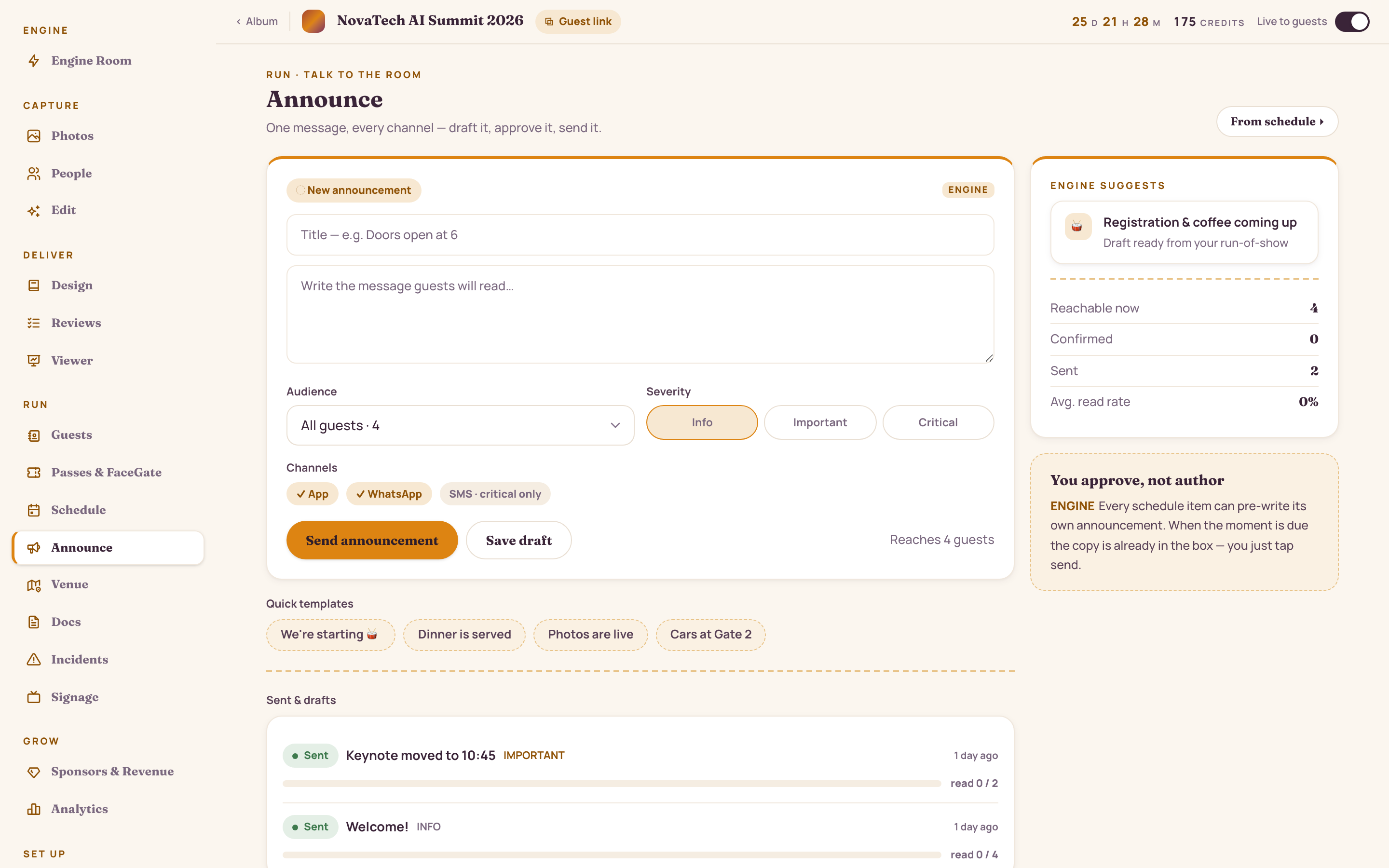
Doors, the reveal, the after-party — every beat gets its message. The engine drafts it, you approve, and it goes out across app, WhatsApp and SMS at once. Send now, or schedule it to the minute so it fires while you're on stage.

  • One message across app, WhatsApp and SMS
  • A draft the engine writes — you approve and send
  • Send now or schedule to the exact minute
  • Target confirmed guests, crew or everyone invited
  • Read rates tracked for every send
app.studionity.com
Announce console for a tech summit: an engine-suggested draft, audience and severity controls, app/WhatsApp/SMS channel toggles, and past sends like "Keynote moved to 10:45" with read-rate tracking
Announce — one message, every channel, on schedule.

Make your launch run itself.

The pilot is invite-only while we polish the engine with real events. Tell us about your next launch — we'll show you the whole night, live.

Connect with us WhatsApp us
Invite-only pilot · Made in India